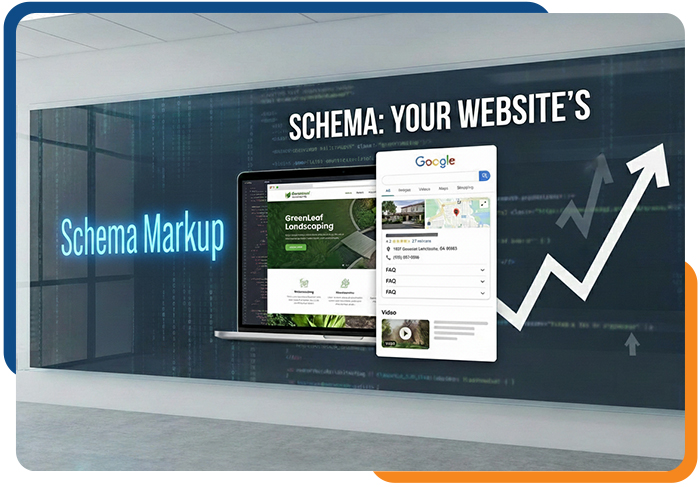
If your business isn’t showing up where customers are searching, one small website tweak could change that: schema markup.
Local businesses can benefit just as much as large ones—but many sites either skip schema or implement it incorrectly. Adding it properly can give you a clear edge in search results.
Not sure what schema is? No worries—its basics are explained below.
|
|
|
|
Think of schema as a “label” for your website content. It tells Google exactly what each page is about.
Without it, search engines guess what your content means. With schema, you give clear instructions, which can lead to:
-
Richer search results with FAQs, videos, or business info
-
Higher click-through rates since rich results stand out
-
Better AI visibility as tools rely on structured info
For example, a landscaping business could show its address, hours, FAQs, and videos. Even small changes make your business more noticeable online. Or imagine a Toronto bakery that adds Local Business and FAQ schema—within weeks, its hours and reviews could start showing directly in search results. Even modest updates like these can make your business more noticeable online.
|
|
|
|
👉 What would you love to see us cover next? Email us at info@nullditcanada.com — we’d love to hear your thoughts!
|
|
|
|
Even if it sounds technical, schema is just a way to give search engines clear instructions. When Google understands your content, your business can:
-
Appear more professional and trustworthy in search results
-
Stand out with FAQs, videos, and business info
-
Be featured in AI summaries and rich snippets
Think of schema as an investment in visibility and credibility—the better search engines understand your site, the more likely customers are to find you.
|
|
|
|
|
|
Which Schema Types Are Most Useful?
|
| |
|
|
|
|
You don’t need every type of schema—start with the ones that give the biggest impact:
-
Local Business: Shows your name, address, phone, website, and hours in search results.
-
FAQ: Displays common customer questions and answers directly in Google.
-
Video: Highlights your videos so people see them before clicking.
-
Product or Service: Shows pricing, availability, and reviews.
-
Article or Blog: Boosts visibility and may help posts appear in Google News or AI summaries.
💡Pro Tip: Many sites skip video, FAQ, and local business schema. Using these gives you an easy competitive advantage.
|
|
|
|
|
|
How to Add Schema Without Being Technical
|
| |
|
|
|
|
You don’t need to code to use schema. Here’s how:
-
Plugin or Tool: WordPress plugins like Yoast SEO or RankMath make it easy. Shopify, Wix, and Squarespace have built-in options—just enter your business info, FAQs, or video links.
-
Website Builder: Some builders let you add structured data directly in the page editor under “SEO” or “Schema.”
💡 Pro Tip: Start with your most important pages—homepage, top services, or FAQ—and add other pages later.
|
|
|
|
Follow this simple process to add schema:
-
List your top pages: Homepage, services, products, FAQs.
-
Pick schema types: LocalBusiness, FAQ, Video, or Product.
-
Add the info: Use your plugin or builder to enter business name, address, hours, FAQs, or videos.
-
Check your work: Use Google’s Rich Results Test to see if pages are eligible.
-
Update regularly: Keep hours, services, and FAQs accurate.
💡Pro Tip: Make sure your info matches Google Business Profile, directories, and social profiles for best results.
|
|
|
|
After adding schema:
-
Check Google Search Console under “Enhancements” to see which pages are eligible for rich results
-
Monitor click-through rates—pages with schema often get more clicks
-
Gradually expand schema to other pages once you see what works
💡Pro Tip: Start small, track results, and grow. Even one page with schema can make a noticeable impact.
|
|
|
|
Schema markup is one of the easiest ways to boost your online visibility. You don’t need to be technical—just:
-
Pick the most effective schema types: Local Business, FAQ, Video, or Product
-
Use your website platform or a plugin to add the info
-
Keep it accurate and updated
Even small changes can help your business stand out in search results and attract more customers.
|
|
|
|
|
|
101 Brock St S 2nd Floor, L1N 4J9, Whitby
|
This email was sent to {{ contact.EMAIL }}.
You’ve received this email because you’ve subscribed to our newsletter.
|
|
|
|
|
|
|